A self-hosted CRM is one where your customer records sit in a database you control rather than on a vendor’s servers. In WordPress that means the CRM is a plugin, the records go into the database your site already uses, and there is no account with an outside company. The trade is worth stating early. You own the data, and you also own the backups.
This guide explains what that choice commits you to. It uses FlyCRM, the WordPress CRM plugin from weDevs, as the worked example, because it is the one we make.
The three places your customer data can live
Every CRM you can buy puts your customer records in one of three places. The difference between them is not the feature list. It is who holds the data, who fixes it when it breaks, and what you are left holding if you walk away.
Somebody else’s cloud
You open an account, the vendor stores your contacts and deals on their infrastructure, and you pay for each person who logs in. The vendor patches the software, runs the backups and decides when maintenance happens. Your records sit in whichever country the vendor built in, and you find out which one by reading a subprocessor list. This is the default for a reason. It is the least work.
A self-hosted CRM application on your own server
You rent a server, install a standalone CRM on it, and keep the whole stack running yourself. Nobody else holds the records. In exchange you operate a second piece of infrastructure with its own database, updates and security patches. One vendor guide ranking for this search in September 2026 budgets twenty to eighty hours of technical time for a first setup. That is the option most people picture when they hear the words self-hosted, and it is the reason the phrase sounds harder than it needs to.
A CRM plugin inside the WordPress you already run
The third option is the one almost nobody writes about. Your WordPress site already has a database, a server, a login system and a backup routine. A CRM plugin uses all four. You install it from the Plugins screen the way you installed everything else, and the contacts and deals become rows in the database your posts and pages already live in. There is no second server, no second login and no sync between two systems, because there is only one system.
| Cloud CRM | Self-hosted CRM application | CRM plugin in your WordPress | |
|---|---|---|---|
| Who holds the records | The vendor | You | You |
| Where they physically sit | The vendor’s data center, in a country they chose | The server you rent | The hosting your site already runs on |
| What you pay | Per user, per month | The server, plus any license | Any license the plugin has, on hosting you already pay for |
| Who patches it | The vendor | You | You, from the Plugins screen |
| Who backs it up | The vendor | You | Whatever already backs up your site |
| If you stop paying | An export window, then the account closes | The server runs until you stop paying for it | The records stay in your database |
What self-hosted does not mean
Three things get read into the word that are not in it.
It does not mean free. Hosting costs money whether a CRM is on it or not, and plenty of self-hosted software is sold under a license. What changes is the shape of the bill rather than its existence.
It does not mean open source. Self-hosted describes where the software runs. Open source describes the license, and whether you are allowed to read the code and change it. The two travel together often enough that people treat them as one question, but a CRM can be self-hosted and closed source, or open source and hosted for you in a vendor’s cloud. Ask both separately.
It does not make you GDPR compliant. Self-hosting settles two of the questions a regulator asks, which are where the records physically sit and which other companies process them. It leaves the rest untouched. You still need a lawful basis for holding somebody’s details, consent where you are marketing to them, a retention period, a way to delete a record when the person asks, and a server that is actually secure. Self-hosting makes those answers yours to give rather than a vendor’s.
What you need before you install one
The requirements are smaller than people expect. FlyCRM needs WordPress 6.5 or newer and PHP 7.4 or newer, and Tools, then Site Health in your dashboard will tell you what you are running. A CRM is a database workload rather than a traffic one. It adds rows, not visitors, and it does not add anything to the public side of your site.
You need a backup you have restored at least once. This is the real cost of self-hosting and it is worth being honest about. If your host takes daily backups, find out how far back they go and try restoring one to a staging site before you rely on it. If nobody is taking backups, that is the thing to fix before the CRM, not after.
You need one named person who owns it. Somebody has to apply updates, notice when a plugin conflict breaks a screen, and act when a customer asks to be deleted. On a small business this is well under an hour a month, but work that belongs to everybody belongs to nobody, and an unpatched CRM full of customer data is a worse position than the cloud account you were trying to leave.
How a WordPress CRM plugin actually works
The records live in your WordPress database. FlyCRM keeps its own records rather than filling up your posts and pages. Contacts, companies, leads, deals, quotes, notes, calls, meetings, tasks and files are all stored on your hosting. There is no outside service in the path, no API key to paste in and no account to open, which is what makes it a self-hosted CRM rather than a front end for one.
Contacts and companies are the base layer. A contact record holds name, email, several phone numbers, job title, social links and addresses. A company record holds industry, employee count, revenue, website and the people who work there. Tags, custom statuses and an owner on every record keep a growing customer database usable, and every note, call, email, meeting, task and file lands on one timeline so the history is readable by whoever picks the account up next.
Leads arrive on their own, and they are kept apart from contacts so an inquiry that goes nowhere never clutters your customer list. They come in from Contact Form 7, WPForms, Fluent Forms, Ninja Forms and Gravity Forms, with the form fields mapped to CRM fields and a lead source set per form, and they come in from WooCommerce orders, with the order statuses that create a contact under your control. The integrations page covers the setup for each.
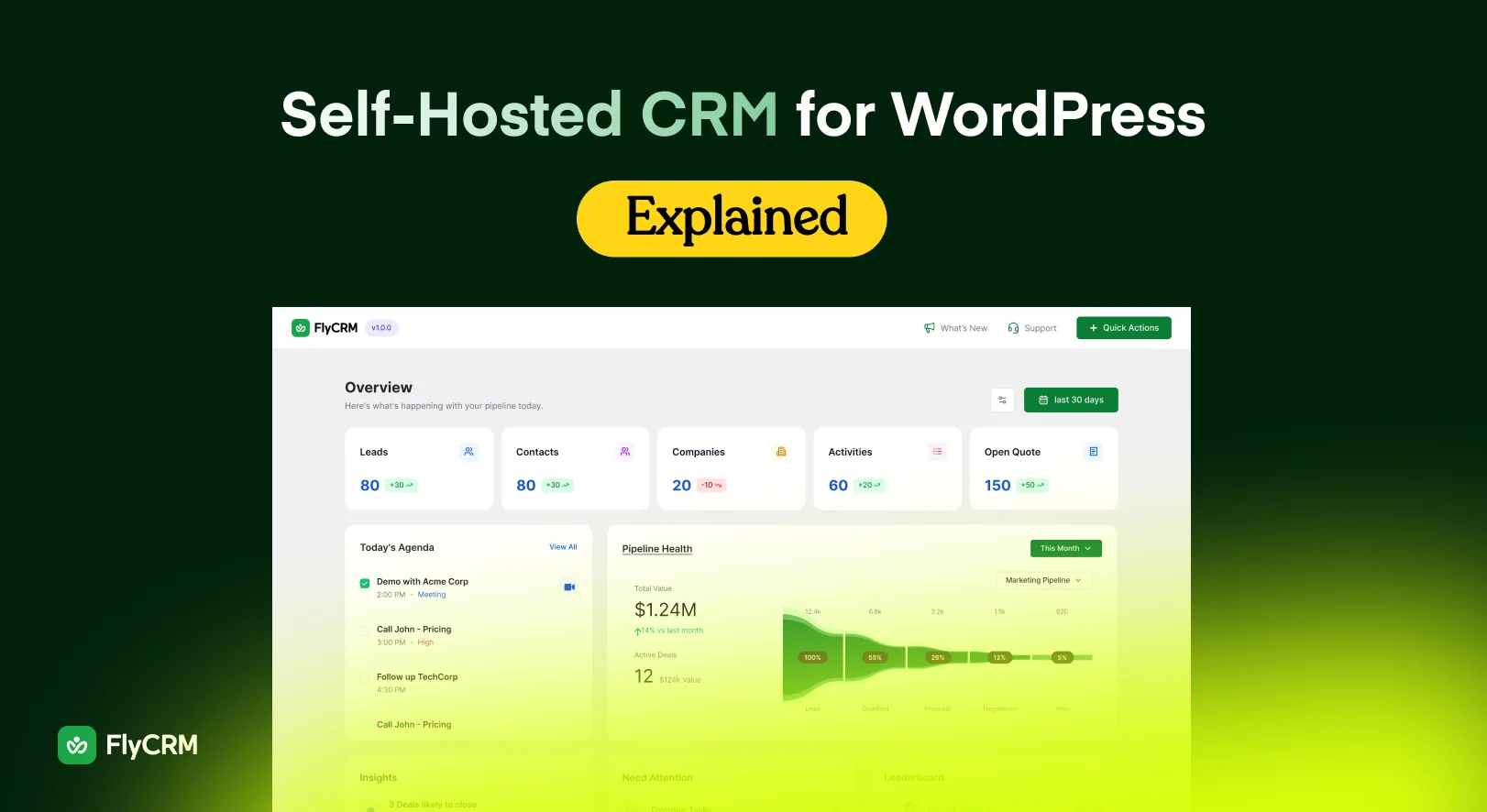
A pipeline is the set of stages a deal moves through on its way to being won or lost. In FlyCRM you build as many pipelines as you need and give each one the stages you actually sell through, reordered by dragging and each carrying a win probability. Deals sit on a kanban board with a total under every stage, so what is in play this month is on screen instead of in a report you have to build. When a lead is ready, one step turns it into a contact, a company and a deal, and its history follows. The features section has the rest of it.
What it costs against a per-user cloud CRM
A cloud CRM is priced per user per month, so the sum is the seat price times the number of people times twelve. Notice what that arithmetic does. It punishes you for the thing you want, which is more of your team using the CRM. The bookkeeper who needs to look up one billing address twice a month costs the same as the sales lead who lives in it.
A WordPress CRM plugin is priced by site. The FlyCRM plugin on WordPress.org is free, with no cap on how many records you keep. FlyCRM Pro is a one-time lifetime license sold by the number of sites you run it on, so the number of people using it never enters the calculation.
| Cloud CRM, priced per user per month | WordPress CRM plugin, licensed per site | |
|---|---|---|
| Five people | Five seats, every month of the year | One license |
| Fifteen people | Three times the bill of five | The same license |
| A contractor for one project | A seat for as long as they are on the account | No change |
| Next year | The same bill again | Nothing further to pay on a one-time license |
| If you stop paying | An export window, then the account closes | The free plugin keeps running and the records stay put |
The figures that fill those cells move, so this post does not print them. Compare the vendor’s own pricing page against ours on the day you decide. FlyCRM’s numbers are on the pricing page, and the lifetime deal page carries the one-time option, which as of September 2026 has a launch discount of 50 percent off, for a limited time.
Who a self-hosted CRM suits, and who should stay on cloud
It suits you if you already run a WordPress site, already pay for hosting and already have somebody applying updates, because then the CRM adds no new infrastructure. It suits you if a client or a regulator has asked where their records are kept and you need an answer you can write into a contract. It suits you if the inquiries you care about arrive through a form on your own site, since the shortest path between that form and a CRM record is no path at all.
Stay on cloud if nobody will own the updates and the backups. That is the honest dividing line, and it matters more than any feature comparison. A CRM you have not patched in a year, holding every customer email address you have, is a liability rather than an asset.
Stay on cloud if you need a vendor to be accountable when something breaks at two in the morning, or if your buyer’s security review asks for a SOC 2 report, a signed uptime commitment, single sign-on and a completed vendor questionnaire. Those are answers a cloud provider is set up to give and a plugin on your own server is not, because on your own server the provider is you.
Stay on cloud if the tool has to do marketing as well as sales. FlyCRM is a sales CRM. It has no email marketing, no newsletters, no campaigns and no marketing automation, and there is no AI anywhere in it. If you want the contact list and the campaign builder in the same login, this is the wrong shape of product and no amount of self-hosting fixes that.
Setting one up in WordPress
- Check what you are running. Open Tools, then Site Health, then Info, and look at the WordPress and PHP versions. FlyCRM needs WordPress 6.5 or newer and PHP 7.4 or newer.
- Take a backup and restore it somewhere. Do this before you add customer data, while a mistake still costs you nothing.
- Go to Plugins, then Add New, search for FlyCRM, and click Install Now, then Activate.
- Open FlyCRM in the admin sidebar. It sets itself up on activation with a sales pipeline ready to use, a set of contact, company and lead statuses, and a starter tag list. Nothing else has to be configured first.
- Add your first contact, or open Import and bring in a CSV of the contacts and companies you already have. Field mapping is part of the import and duplicates are caught on the email address.
- Switch on lead capture under FlyCRM, then Integrations. Turn on the form plugin you use, add a feed for each form, map its fields and set a lead source. WooCommerce order sync is in the same place, with a one-time import for customers who ordered before you installed the plugin.
- Decide who reaches what. CRM Manager reaches everything and CRM Agent reaches only their own records, and access is set per record type and per action, so somebody can add a deal without being able to delete one.
That is the whole setup, and it runs on hosting you are already paying for. FlyCRM on WordPress.org is the free download if you want to try the steps on a staging site first.
Where to go next
The right next page depends on which of these you are.
Agencies holding customer data that belongs to a client should read CRM for agencies that keeps client data yours, which covers separating one client’s records from another’s and what happens at handover when a retainer ends.
Sales teams setting up a board should read sales pipeline stages that match real deals, which gives a worked stage set with the exit condition written out for each stage.
Store owners should read turning WooCommerce orders into a customer list, which covers the historical import and what a customer record looks like once order history is on it.
Frequently asked questions
Is a self-hosted CRM safe?
It is as safe as the site it runs on. No outside company holds your records, which removes one class of risk, and in exchange the patching, the passwords and the backups are yours. Keep WordPress and its plugins updated, limit who holds an administrator account, and test a restore.
Do I need a separate server for a self-hosted CRM?
No. A CRM plugin runs on the hosting you already pay for and uses the database your site already has, so there is no second server to rent, secure or patch. FlyCRM needs WordPress 6.5 or newer and PHP 7.4 or newer. A standalone CRM application is the option that needs its own server.
What happens to my data if I deactivate the plugin?
It stays in your WordPress database. Deactivating FlyCRM leaves every contact, company, lead, deal and quote exactly where it is, and activating again brings the screens back with the records still there. The two CRM roles are removed on deactivation and put back when you activate.
Is self-hosted the same as open source?
No, and they are worth asking about separately. Self-hosted describes where the software runs, which is your own server. Open source describes the license, and whether you can read the code and change it. Software can be self-hosted and closed source, or open source and run for you in a vendor’s cloud.
Does a CRM plugin slow my site down?
It should not. FlyCRM keeps its own records rather than filling up your posts and pages, and its screens load only inside the FlyCRM area of the admin, so nothing is added to the public side of your site. Your visitors load the same pages at the same speed as before.
Can my whole team use it?
Yes, and the license is priced by site rather than by person, so the bill does not grow with headcount. The free plugin has two roles, CRM Manager who reaches everything and CRM Agent who reaches their own records, with access set per record type and per action. Inviting colleagues from inside the CRM is a FlyCRM Pro feature.
Put Your Customer Records Somewhere You Control
Customer data outlives the tool you keep it in, which is why where it sits matters more than which features it has.
A cloud CRM keeps the records in the vendor’s data center and bills you by the seat. A self-hosted CRM application moves them onto a server you rent and maintain yourself. A CRM plugin puts them in the WordPress database, server, login and backup routine you already pay for and already run, and that third option is the one most comparisons leave out.
Self-hosting is the wrong answer if nobody on your side will apply updates, or if you need a vendor to be accountable for uptime. If neither is true of you, install FlyCRM from WordPress.org, import a hundred contacts and see how it feels before you move anything else.